AlphaSmart Dana Wireless
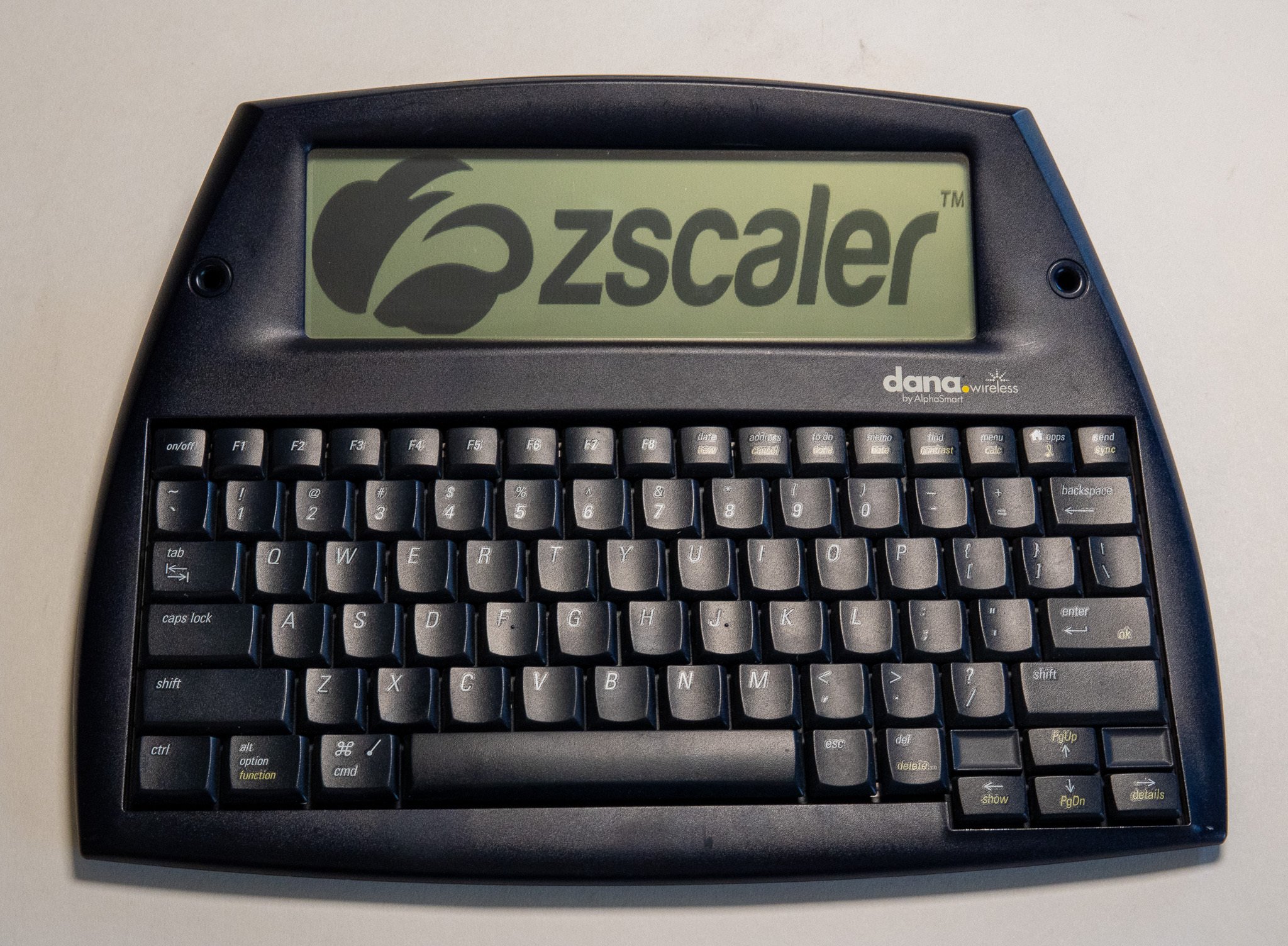
Today I’m revisiting a previous topic with a new-and-improved “Zscaler Logo on a Weird, Old, or Obsolete Device” post about one of my favorite gadgets: the AlphaSmart Dana Wireless!
AlphaSmart was a successful startup founded in 1992 by a couple former Apple engineers. This was an era when laptops still cost thousands of dollars and were both heavy and fragile, all of which made them really unsuitable for the most hazardous environment on earth: schools. AlphaSmart’s vision was compelling: build lightweight, ruggedized, inexpensive portable devices for students. AlphaSmarts were basically “smart keyboards” - you could type some text into the AlphaSmart, and when you were ready to do something with that text, you’d connect the device to your “real” computer with a keyboard cable, and the AlphaSmart would “type” all your text into the computer for you at super-speed.
However, by 2002 AlphaSmart realized that their traditional “smart keyboards” were becoming less competitive against a cheap laptop. To address this, they pivoted with a bold, slightly-wacky experiment: the Dana.
The Dana maintained the AlphaSmart aesthetic but ran the vastly more robust PalmOS 4 operating system. Able to run thousands of standard Palm apps along with apps customized for its unusual 560x160 pixel display, the Dana (and the later WiFi-equipped Dana Wireless) featured vastly more functionality than any previous AlphaSmart device. With a variety of standard Palm apps and custom software built-in, the Dana offered capabilities typically found in a standard laptop, but much cheaper and much tougher.
Now you might be wondering why I’m revisiting this device since I already shared it years ago - the answer is rooted in that oddball 560x160 pixel display, which no other PalmOS device ever used. On the Dana, nearly all PalmOS apps run in the standard Palm resolution of 160x160, floating in a small box in the center of this wide display - that’s why my original Zscaler logo-pic from early 2022 was just a small logo in the center of the screen. Thankfully, I recently found a very rare PalmOS file-manager app which was customized to run at the full resolution offered by the Dana! I used my modern PC to create a 560x160 black-and-white version of the logo, and then I used a Windows XP virtual machine to “HotSync” the file manager app and the image to the Dana… and PRESTO, I finally got to take advantage of the full display. Whew!
That’s it for today - happy Friday everyone!