Sony PocketStation
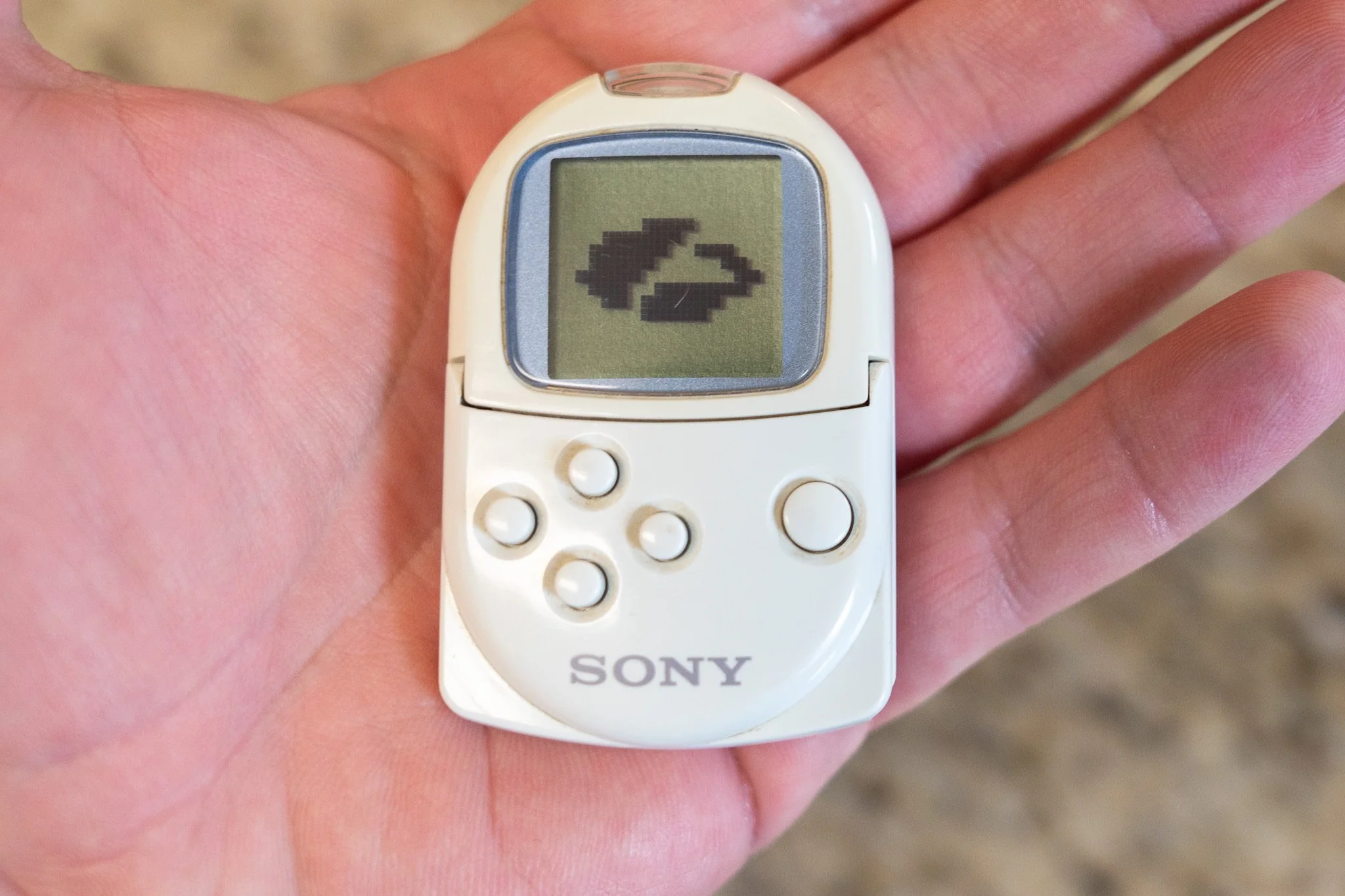
People all around the world are celebrating the landmark 30th anniversary of the Sony PlayStation, so for today’s “Zscaler Logo on a Weird, Old, or Obsolete Device” series, I had to get in on the fun with the Sony PocketStation!
Clearly inspired by the Sega Dreamcast’s Visual Memory Unit which was released about six months prior (and which has also been featured in this Zscaler Logo series), the PocketStation debuted in 1999. In short, the PocketStation is a tiny device which can serve as a PlayStation memory card and as a standalone console unto itself, capable of storing your PlayStation save files and playing tiny “Tamagotchi-style” games of its own.
Despite its minuscule size, the PocketStation packs some pretty impressive technology for the time. Powered by a 32-bit ARM7 CPU, it also has a whopping 2KB (that’s kilobytes!) of onboard storage, 5 input buttons, and even an infrared receiver/transmitter embedded in the top. With the IR blaster, a PocketStation can literally beam a PlayStation save file to another PocketStation, making it easy to swap characters with your pals. The lower half of the PocketStation lifts up like the hood of a car, so you can then insert the device into a PlayStation memory card slot. Pretty clever!
Sadly, the PocketStation wasn’t a huge success - it only sold around 60,000 units, and was never released outside of Japan. Interestingly, there were plans to release it in the West so a handful of US-region PS1 games support it, including Final Fantasy VIII and Ridge Racer Type 4!
Getting the Zscaler logo to display on this thing was pretty challenging, and involved a bunch of tools I’ve never used before:
I created a version of the logo as a 1-bit image suitable for a display that is only 16x16 pixels. That’s not much resolution to work with, so this isn’t exactly the most faithful rendering of our curvy cloud logo, but hopefully it’s close enough!
Once I had the logo saved as a 16x16 PNG file, I used a tiny DOS command-line app called Evelyn to convert it to an empty PS1 save file
I then took the Zscaler save file and imported it into the “DuckStation” PS1 emulator, where I was able to add the save file to a virtual memory card “disk image,” which I copied onto an old USB flash drive
I then burned a DVD with a copy of a clever PlayStation 2 app called “FreeDVDBoot.” This app is usually used for playing copied games on an unmodified PS2, but it *also* has a handy file management tool
I used the FreeDVDBoot file manager to copy the contents of my virtual memory card from the USB flash drive onto a real 8MB Sony PS2 memory card
Finally, I used the PS2’s built-in memory card manager tool to copy the Zscaler “save file” from the PS2 memory card in Slot 1 onto the PocketStation in slot 2. Easy!
That’s it for today - I hope you all have a fantastic weekend filled with awesome PlayStation games!